AI 运维工具
Google Antigravity IDE
- Trae 也可以依此操作配置
本示例演示 Google Antigravity AI 在运维场景中的使用方法。假如需要让 Google Antigravity AI 远程 SSH 连接到目标服务器并利用其 AI Agent 定位运行问题,可以参考以下步骤:
建立 SSH 远程连接 。Antigravity 基于 VS Code 内核,因此其连接方式与 VS Code 保持一致,但强化了 AI 对远程环境的感知。
安装插件 。确保已在 Antigravity 中安装了 Remote - SSH 扩展。
- 定位到 Setting -> Extensions (或者左侧边栏)中,在顶部搜索框中输入
@installed remote - ssh,如果列表中出现了 Remote - SSH (通常由 Microsoft 发布),说明已经安装。如果没有任何显示,说明尚未安装。 - 如果没有安装,在搜索框中搜索
Remote - SSH,找到由 Microsoft 发布的版本(Antigravity 完美兼容 VS Code 市场插件),点击 Install
或者直接发送需求给 Antigravity 让其自动安装
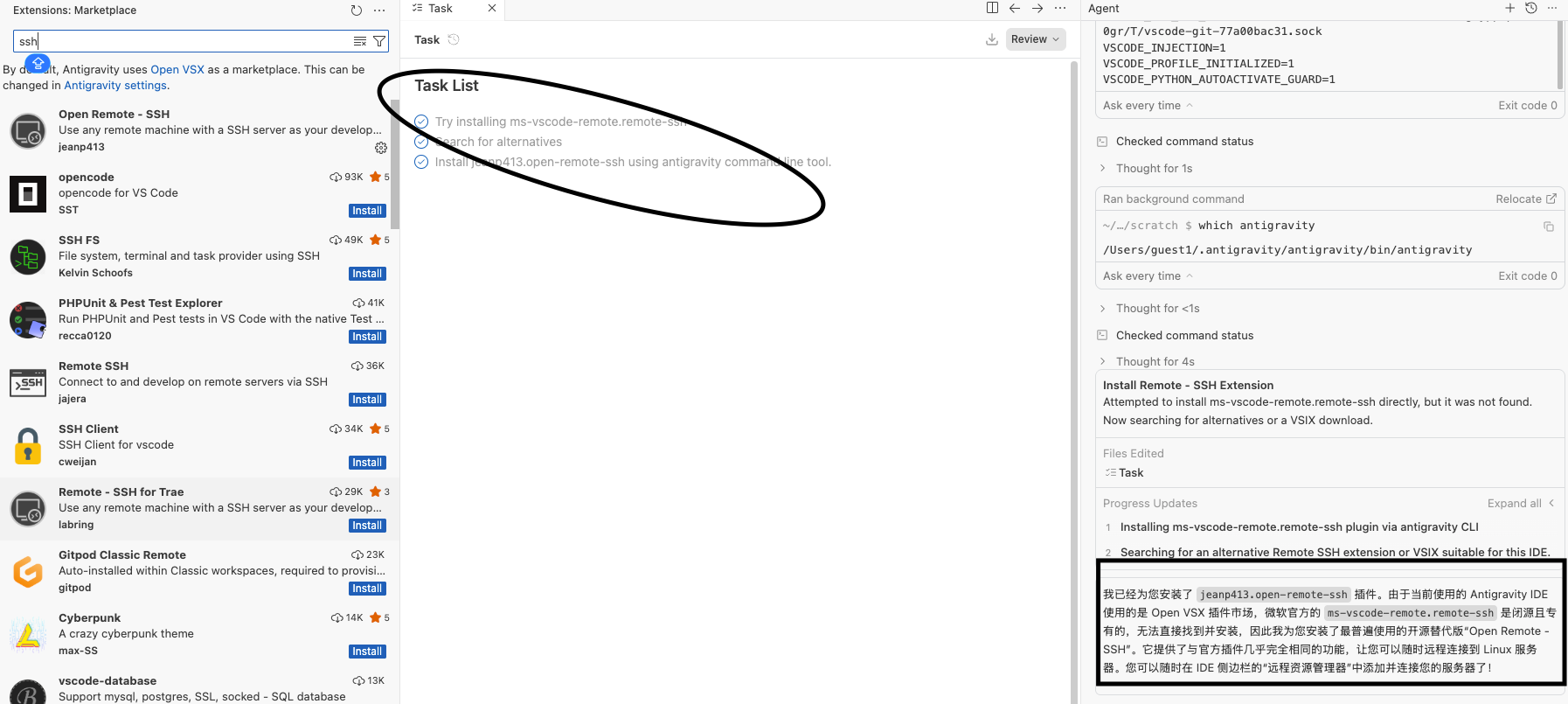
- 定位到 Setting -> Extensions (或者左侧边栏)中,在顶部搜索框中输入
配置主机 。在 IDE 侧边栏的 Remote Explorer(远程资源管理器) 中添加并连接服务器。
如果是首次连接,Antigravity 会在目标服务器上安装一个小型的服务端组件(Server Component),以便 AI Agent 能直接在服务器环境下运行。
打开项目目录 ,连接成功后,点击 Open Folder(打开文件夹) ,选择你运行服务所在的代码目录或配置目录(如
/etc/nginx或你的后端代码路径)。连接成功后,你不需要像以前那样手动翻阅数 GB 的日志。你可以通过侧边栏的 Chat 面板(Ctrl + L)指挥 AI。
自动日志分析 (Log Auditing)
指令示例 :查看
/var/log下最近 5 分钟的系统错误日志,找出导致我的 Java 应用崩溃的原因。AI 行为: Agent 会自动执行
tail -n 100或grep命令,捕获堆栈信息(Stack Trace),并结合项目代码分析是 OOM(内存溢出)、端口冲突还是权限问题 。
如果你发现服务无法访问(例如 404 或 502)
指令示例 :检查 8080 端口是否在监听,并测试 Nginx 反向代理到该端口的连通性。
AI 行为 :Agent 会执行
netstat -tunlp和curl -I localhost:8080,如果发现端口没启动,它会尝试查看启动脚本(如docker-compose.yml或systemd配置)来定位根源。
闭环修复 (The “Fix” Loop)
这是 Antigravity 区别于普通 IDE 的地方:
生成修复计划 (The Plan) :
当 Agent 定位到问题(例如:K8s 配置的
resources.limits太小导致 Pod 被杀)时,它会生成一个 Plan Artifact。审批修改
它会展示修改后的代码或配置文件。你只需点击 Apply ,它就会在服务器上直接修改文件。
验证结果
你可以紧接着说:”修改后重新启动服务,并尝试用内置浏览器访问,确认首页能正常加载。”
Antigravity 会启动内置浏览器,通过 SSH 隧道访问远程服务,截图反馈给你看。
例如处理 K8s 集群问题:如果你在服务器上配置了 kubectl ,你可以对 Antigravity 说:”帮我列出所有 Pending 状态的 Pod,并分析它们的事件日志,看看是不是节点资源不足。” 它能像一个初级运维工程师一样帮你完成繁琐的查询。
.agent/rules
生成环境中,AI 所做的操作一定要得到审批。否则会产生不可预期的结果 。
不是所有的 AI 工具都会遵循此规则,使用之前一定要确认清楚。比如 Trae 就不会加载
.agent/rules文件去读取规则。
为了防止 AI 在服务器上乱改,你可以在项目中创建一个 .agent/rules 文件,写明:”严禁直接修改生产数据库” 或 “修改配置前必须先备份旧文件”。Agent 在执行任务时会强制遵守这些规则 。
关于 .agent/rules 的生效范围(作用域) :
- 项目级规则(最推荐) : 放在你项目代码的根目录下。规则仅对当前打开的特定项目生效。
- 全局(Global)规则 : 如果你希望在打开任何项目文件夹时,AI 智能体都遵循一套通用的逻辑。通常存放在用户家目录的配置文件夹中
- Windows :
%USERPROFILE%\.antigravity\rules - Linux : ~/.antigravity/rules
- Windows :
如果要知道目前使用的 rules 都有哪些,可以直接让 AI 进行汇总
快速创建并测试 ,你不需要手动去文件夹里新建,直接在 Antigravity 的 Chat 面板里对 AI 下令即可:
指令 : 请给出创建全局规则的步骤
如果您希望为您使用的 AI Agent 配置跨所有项目生效的全局规则,通常可以通过以下步骤完成(具体取决于您使用的编辑器客户端): |
Claude Code
对于无法配置 SSH(例如内网穿透、防火墙严格限制或云厂商限制)的服务器,Claude Code 是目前最顶级的 终端代理(Terminal Agent) 方案
Claude Code 的配置与使用
Claude Code 的优势在于它是一个 CLI 工具,可以直接安装在目标服务器上。它不需要 SSH 隧道,因为它通过 HTTPS 与 Anthropic 的服务器通信,只要服务器能访问外网(或通过代理访问),就能工作。
安装步骤(服务器端) 。在你的 Linux 服务器终端执行:
curl -fsSL https://claude.ai/install.sh | bash
部分地区下载有限制,如 HK,可以在可用地区下载脚本上传到服务器后安装
或者使用
npmnpm install -g @anthropic-ai/claude-code
配置与初始化
登录 :输入
claude启动,按照提示完成 OAuth 登录(会给出一个 URL 和授权码)。Select login method:
❯ 1. Claude account with subscription · Pro, Max, Team, or Enterprise
2. Anthropic Console account · API usage billing
3. 3rd-party platform · Amazon Bedrock, Microsoft Foundry, or Vertex AI
执行
claude命令运行
服务器上运行 gemini cli
Gemini 在服务器运维场景下有一个独特的优势: 超长上下文窗口(Context Window) 。相比 Claude,Gemini 能够一次性 “吞下” 更多的日志文件或整个 Kubernetes 命名空间下的所有配置(YAML),从而提供更具全局观的分析。
安装 Google AI CLI (基于 Node.js)
如果还未按照 Node.js , 可以使用以下命令(
nvm管理 Node.js 版本 )安装最新版本(版本太低的话, gemini 不支持)curl -o- https://raw.githubusercontent.com/nvm-sh/nvm/v0.39.7/install.sh | bash
source ~/.bashrc
nvm install 20
nvm use 20
nvm alias default 20安装 Node.js 后安装
gemini-cli安装
npm install -g @google/gemini-cli
配置 API Key (从 Google AI Studio 免费获取)
export GEMINI_API_KEY="你的_API_KEY"
开始对话
gemini参考以下步骤,获取 API Key:
打开浏览器,访问 Google AI Studio。
进入页面后,点击左侧导航栏顶部的 Get API key 按钮(通常带有一个钥匙图标)。
在打开的界面中,你会看到 Create API key 的选项:
- Create API key in new project :如果你是第一次使用,选这个。Google 会在你的 Google Cloud 控制台中自动创建一个名为
Generative Language Client的项目。
- Create API key in new project :如果你是第一次使用,选这个。Google 会在你的 Google Cloud 控制台中自动创建一个名为
立即复制并保存这串密钥。
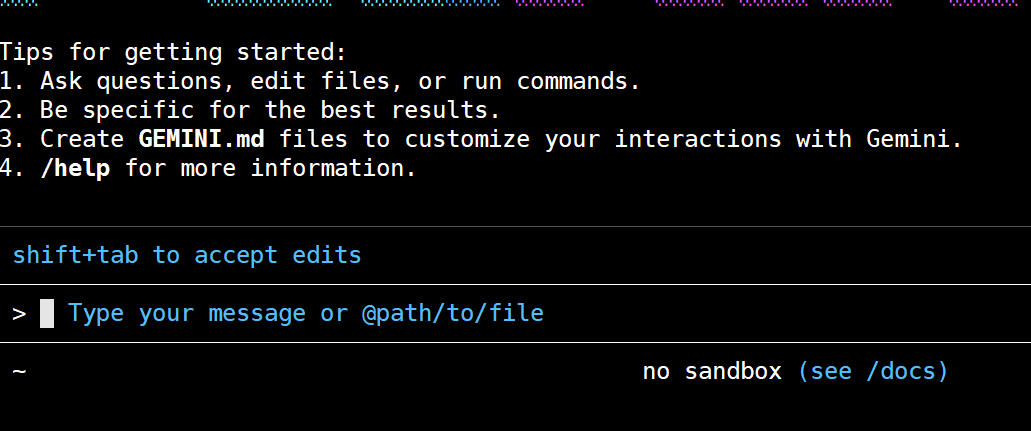
使用命令
gemini运行
在旧版本 Linux 上通过 Docker 间接运行 Claude Code 或者 ChatGPT Codex
在较旧得 Linux 系统(如 Centos 等)上,因内核版本或者系统库版本较旧,无法运行 Claude Code 或者 ChatGPT Codex 或者其他 AI Agent,此种情况下可以在较旧得系统上首先安装 Docker,然后在 Docker 容器中安装 AI Agent Tools,并挂载宿主机(较旧得 Linux)系统文件到容器中,利用 AI 进行分析。
为了进行持久化操作,本实例使用 Docker Compose 和 Dockerfile,实例 Dockerfile 如下:
|
主要操作:
- 安装常用工具
- 安装并配置
sshd以供 ssh 远程连接(Visual Studio Code 等工具) - 安装
codex、claude等 AI 工具
docker-compose.yaml 内容如下:
|
主要操作:
- 启动容器,容器启动时运行
sshd服务 - 挂载文件系统,本示例挂载了整个宿主机根目录,如果定位得问题无需读取整个宿主机文件系统,只需要挂载所需得文件系统内容即可。
容器启动后,需要手动配置 ssh 登陆信息(密码或者密钥)